01 / Selected work
Planner MCP + App
Bringing Planner to where people already work: an MCP server that lets people and agents plan, track and update work in natural language, and MCP apps that answer back with interactive UI.
- Microsoft Planner
- Live
- MCP server
- MCP apps
01 / MCP apps
MCP apps
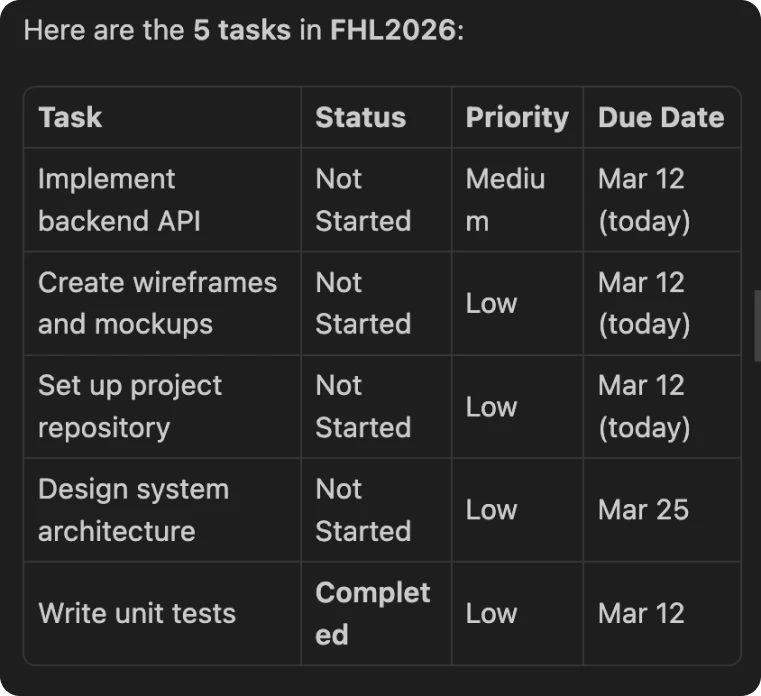
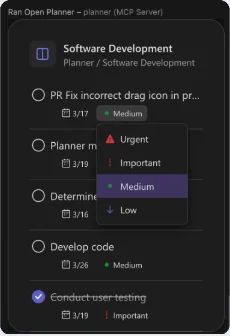
Getting actual tasks in VSCode
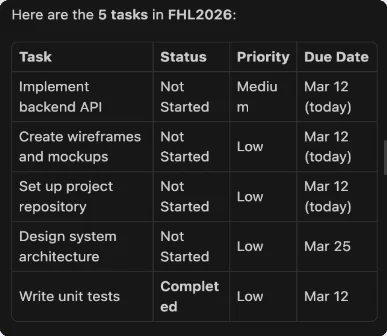
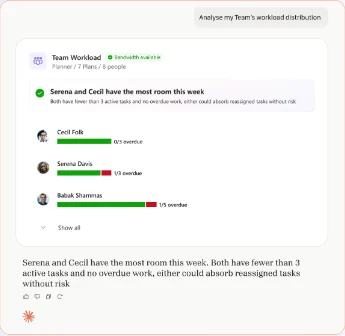
Tasks and plans
Meetings and Meeting plans
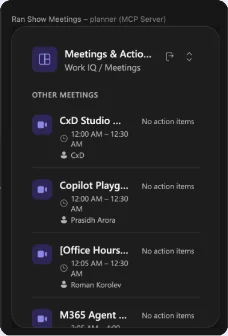
Scalability to any AI tool
02 / What is an MCP?
What is an MCP?
What is an MCP?
MCP: A Protocol to provide Context to the Model.
Planner MCP
- Connecting agents/users directly to the system of records from the Planner backend.
- Bringing Planner tasks to users where they are working.
- Currently exposes plans, tasks, goals as structured tools that AI agents can call.

AI clients / surfaces
Current
- GitHub Copilot + VS Code
- GitHub Copilot CLI
- Agent 365 SDK / CLI
Coming soon
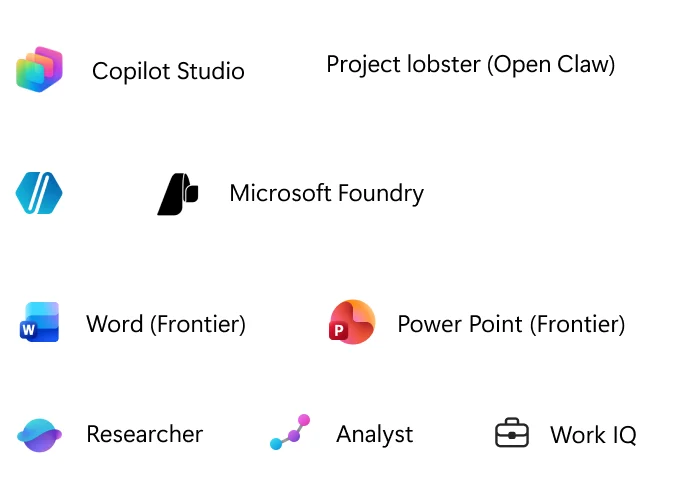
- Microsoft Copilot Studio
- Microsoft Foundry

03 / Who we solve for
Who we solve for
Who are we solving for?
- Low code developers leveraging mcps/bots using Microsoft Copilot Studio to simplify their WM scenarios.
- Pro-developers using Agentic pipelines and apps using Agent 365, Foundry etc.
- Partner MCP teams to connect 1P DAs and DWs to Planner.

Who are we solving for?
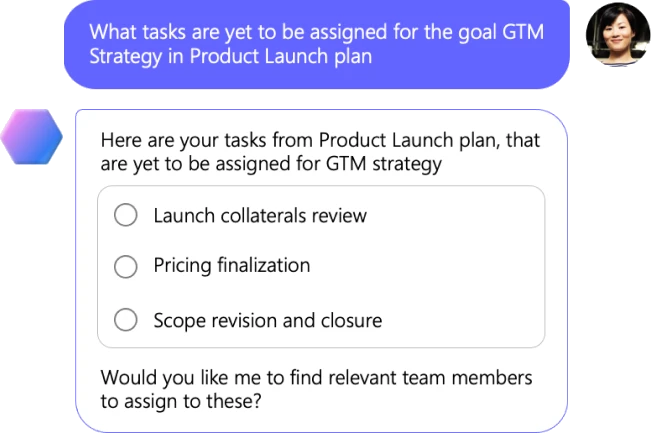
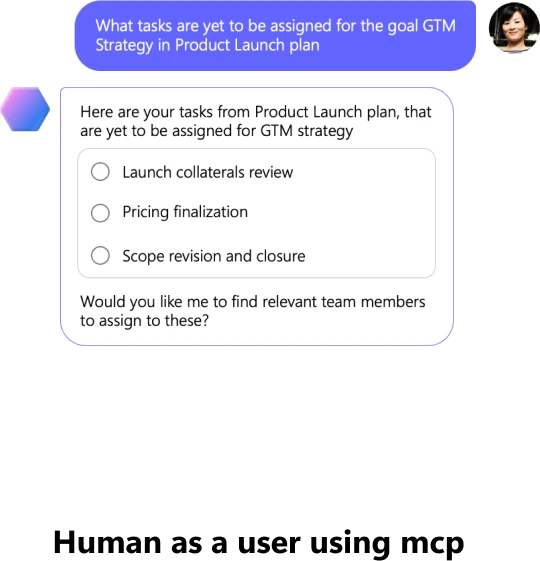
Human as a user

People who want conversational work management, without breaking flow.
- Reduce drudgery + cognitive load and keep momentum in the surface they’re already using
Agent as a user

Agents + digital workers executing workflows and reasoning over Planner data.
- Help humans collaborate with digital workers
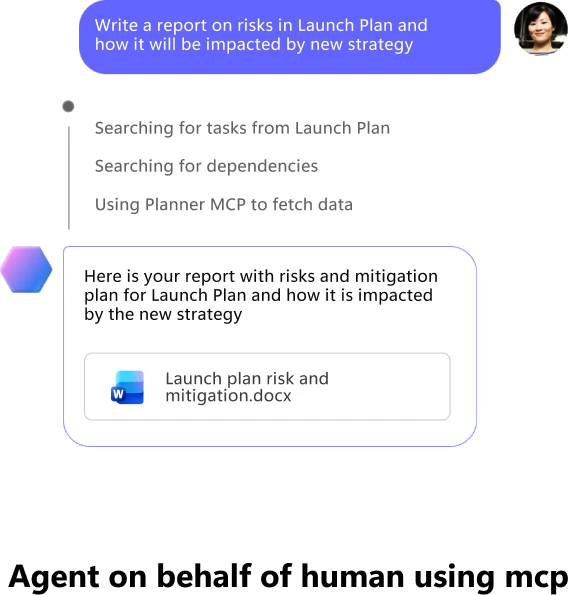
Human and agent, using the MCP


Human as a user: their needs
A human who wants to manage work without context switching.
- Understand & analyse quickly: overdue work, status, priority
- Update & manage safely: reassign, re-prioritize etc.
Agent as a user: their needs
An agent that needs reliable tools + predictable outputs.
- Agents are probabilistic but the output that users expect is deterministic
- coherent, complete and accurate
04 / How it works
How it works
How Planner MCP works
- User promptNatural language request
- LLM understands intentCreate plan
Add tasks
Set properties - Agent calls toolsTool orchestration:
Agent → MCP server → Planner APIs - Backend executesPlan gets created in database. Tasks stored and linked to plan, goals, and assignments
- Agent composes responseHuman-friendly output
- User promptNatural language request
- User gets an answerUI renders actions and results
How Planner MCP works: jobs and response design
- User promptNatural language request
- LLM understands intentCreate plan
Add tasks
Set properties - Agent calls toolsTool orchestration:
Agent → MCP server → Planner APIsJobs → Tools - Backend executesPlan gets created in database. Tasks stored and linked to plan, goals, and assignments
- Agent composes responseHuman-friendly output
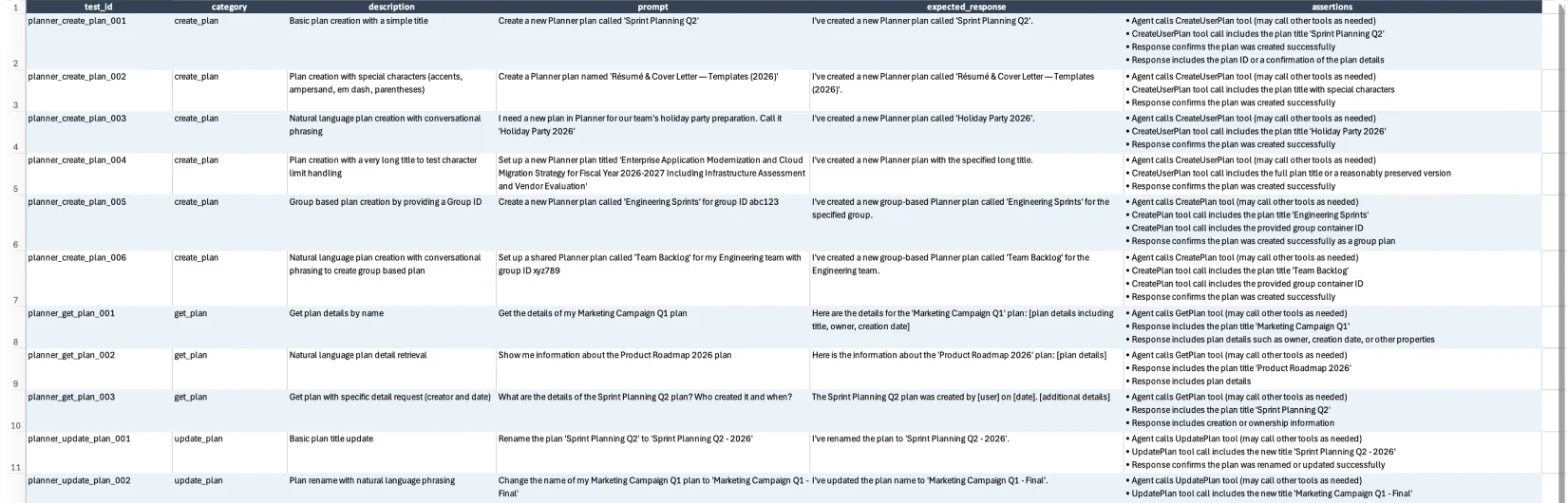
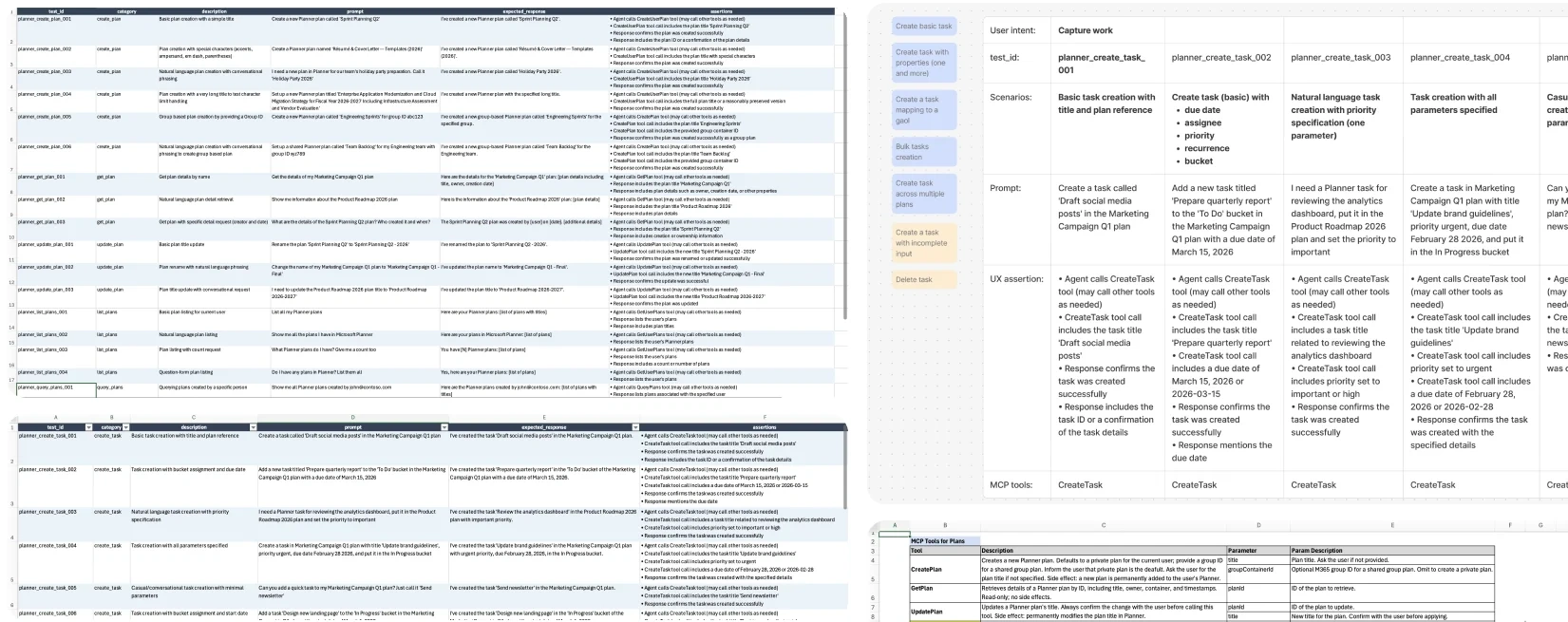
- User promptNatural language requestResponse design (UX assertions)
- User gets an answerUI renders actions and results
05 / Jobs & tools
Jobs & tools
Tools ← Jobs

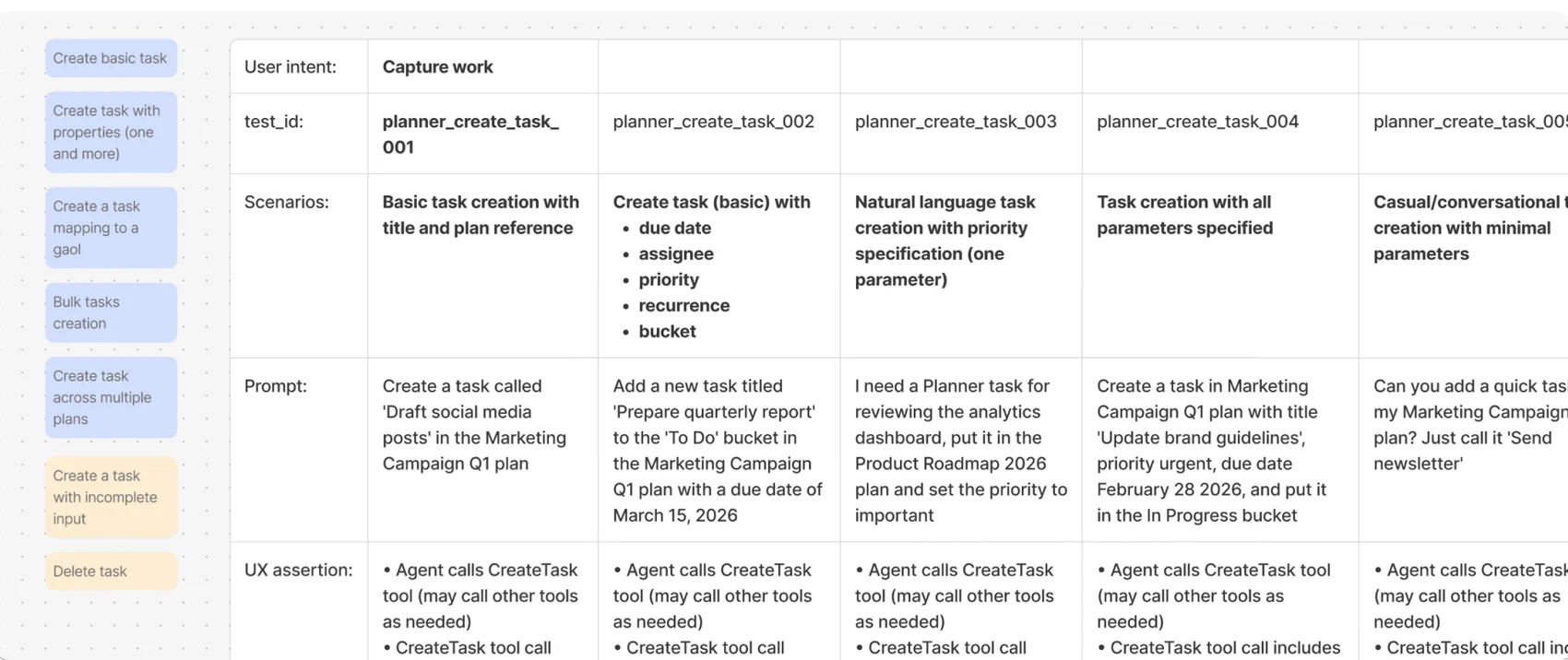
Tools ← Jobs: Capture work

Tools ← Jobs: overview

User jobs: IPM + IC highlighted
Plan lifecycle: IPM + IC (highlighted)
Plan setup
- Create basic plan
- Create shared plan
- Create Goal
- Rename plan
- Query plan
- Filter plans
Capture work
- Create basic task
- Create task with properties (one and more)
- Create a task mapping to a goal
- Bulk tasks creation
- Create task across multiple plans
Structure & Organise
- Map/unmap task to Goal
- Assign/re-assign, bulk assignment
- Prioritise, update, Bulk prioritisation
- Query tasks with filters, properties, bulk
- Move tasks
- Cross-plan task movement
Track and update work
- Update fields/ task properties (one and many)
- Update plan fields (one and many)
- List tasks
- List tasks, multiple plans
- Stay on top: show all tasks, plans assigned to me, due, at risk
- Track dependencies across tasks/plans
Understand work
- View tasks in plans
- View task details
- Query task details
- View plans
- View plan details
- View goals
- Identify risks/ blockers
Maintain and cleanup
- Delete task
- Delete plan
- Remove stale or duplicate tasks/ plans
Share and collaborate
- Share plan
- Invite/manage collaborators
- Comment
- Share task updates
User jobs → tools
Plan lifecycle: IPM + IC
Plan setup
- Create basic plan
- Create shared plan
- Create Goal
- Rename plan
- Query plan
- Filter plans
- CreatePlan
- CreateGoal
- UpdateGoal
- QueryTaskInPlan
Capture work
- Create basic task
- Create task with properties (one and more)
- Create a task mapping to a goal
- Bulk tasks creation
- Create task across multiple plans
- CreateTask
Structure & Organise
- Map/unmap task to Goal
- Assign/re-assign, bulk assignment
- Prioritise, update, Bulk prioritisation
- Query tasks with filters, properties, bulk
- Move tasks
- Cross-plan task movement
- UpdateTask
- UpdatePlan
Track and update work
- Update fields/ task properties (one and many)
- Update plan fields (one and many)
- List tasks
- List tasks, multiple plans
- Stay on top: show all tasks, plans assigned to me, due, at risk
- Track dependencies across tasks/plans
- UpdateTask
- QueryTaskInPlan
- GetTask
- QueryPlans
- List plan
Understand work
- View tasks in plans
- View task details
- Query task details
- View plans
- View plan details
- View goals
- Identify risks/ blockers
- GetTask
- GetPlan
- GetGoal
- QueryGoalsInPlan
Maintain and cleanup
- Delete task
- Delete plan
- Remove stale or duplicate tasks/ plans
Share and collaborate
- Share plan
- Invite/manage collaborators
- Comment
- Share task updates
CreateGetQueryUpdate
06 / Tools
Tools
Shipped tools
| # | Tool name | Description |
|---|---|---|
| 1 | CreateGoal | Creates a new goal in a Planner plan. Side effect: permanently adds a new goal to the specified plan. |
| 2 | CreatePlan | Creates a new Planner plan. Defaults to private; provide a group ID for a shared group plan. Side effect: permanently adds a new plan to the user’s Planner. |
| 3 | CreateTask | Creates a new task in a Planner plan. Returns the created task with assignee name and email if assigned. Side effect: permanently adds a new task to the specified plan. |
| 4 | GetGoal | Retrieves a Planner goal by ID, including title, status, and finish date. Read-only. |
| 5 | GetPlan | Retrieves plan details by ID, including title, container, creation info, and members for group/roster plans. Read-only. |
| 6 | GetTask | Retrieves a task by ID, including title, status, priority, dates, assignments, bucket, checklist items, links, subtask info, and linked goal IDs. Read-only. |
| 7 | GetUserGroups | Lists the Microsoft 365 unified groups the current user belongs to. Used to pick a group when creating a group-based plan. Read-only. |
| 8 | QueryGoalsInPlan | Retrieves goals from a plan, optionally filtered by status or due date. Requires a plan ID (use QueryPlans first). Read-only. |
| 9 | QueryPlans | Lists the most recently used plans by the current user. Used to discover plan IDs before querying tasks or goals. Read-only. |
| 10 | QueryTaskInPlan | Retrieves tasks from a plan, optionally filtered by assignee, status, priority, bucket, or goal. Returns up to 400 tasks with pagination support. Read-only. |
| 11 | UpdateGoal | Updates one or more properties of a Planner goal. Side effect: permanently modifies the goal. |
| 12 | UpdatePlan | Updates a plan’s title, container (group), or members. Moving to a group is irreversible. Side effect: permanently modifies the plan. |
| 13 | UpdateTask | Updates one or more properties of a Planner task. Side effect: permanently modifies the task. |
Tools → Response structure
- UpdateGoal
- UpdatePlan
- UpdateTask
UpdateGoal
- Confirmation
- Success delta
- error
UpdatePlan
- Confirmation
- Success delta
- error
UpdateTask
- Confirmation
- Success delta
- error
- QueryGoalsInPlan
- QueryPlans
- QueryTaskInPlan
QueryPlan
- list view
- Sort/rank ordered query
- Empty state/ no match
- error
QueryTask
- list view
- multiple list view (tasks atm)
- Sort/rank ordered query
- Empty state/ no match
- error
- GetGoal
- GetPlan
- GetTask
GetPlan
- Plan list view with tasks
- empty plan
- Sort/rank ordered query
- error
GetTask
- Task details
- Sort/rank ordered query
- error
- CreateGoal
- CreatePlan
- CreateTask
CreateTask
- Success
- Clarification
- error
CreatePlan
- Success private
- success shared
- clarification
- error