03 / Selected work
Custom Templates
Letting people save and reuse the structure of their plans: publish, share, manage and find templates.
- Microsoft Planner
- Live
- March – August ’25
01 / Demo
Demo
02 / The problem
The problem
The problem
Planner users often want to standardize and speed up their planning in workflows.
These templates allow users to save and reuse plan structures, improving consistency and collaboration across teams.
03 / Who we are solving for
Who we are solving for
Who is the user?
Creator
Creator of the templates
Traditionally admins and project managers: people who have control or knowledge of the org.
Consumer
Consumer of the templates
End users: IPMs, EPMs or IWs, and Teams meetings and chat users.
Democratisation of work management: anyone and everyone should be able to create and consume templates.
What makes a good plan template?
Why do users need templates
- I don’t know where to start, so I use a template to kickstart and save time. (A blank slate is too daunting)
- I don’t have enough time, so I need to kickstart quickly and save time and effort during creation. (Time)
- I follow the same things over and over again, so I save duplication efforts. (Duplication)
- I don’t know how to run a specific project effectively, so I rely on templates. (Lack of domain knowledge)
- I have created a template, so my team can follow the same plan template and get consistent results. (Collab and team-level sharing)
Why do users need custom templates
- OOB ones are too generic: existing templates do not meet the quality and depth that my work and my org demand.
- I want to customise, so that I can add specialized nuances to make templates more effective.
- Proprietary information: my org has a specific way of working and I need templates for it.
What makes a plan relevant to template?
What is to be turned into a template, and what is to be kept customizable?
A plan may consist of…
- Goals that are scalable and have worked well.
- A generated list of tasks and task properties that resulted in timely completion of the plan.
- Grounding data that helped higher quality output.
- Agents that can help in the domain (custom and 3P agents).
04 / User journey
User journey
Creator of the templates
User journey for template creator
Convert an existing plan to a template.
Consumer of the templates
User journey for template consumer
Find a template and start a plan from it.
05 / Entry point
Entry point
Questions
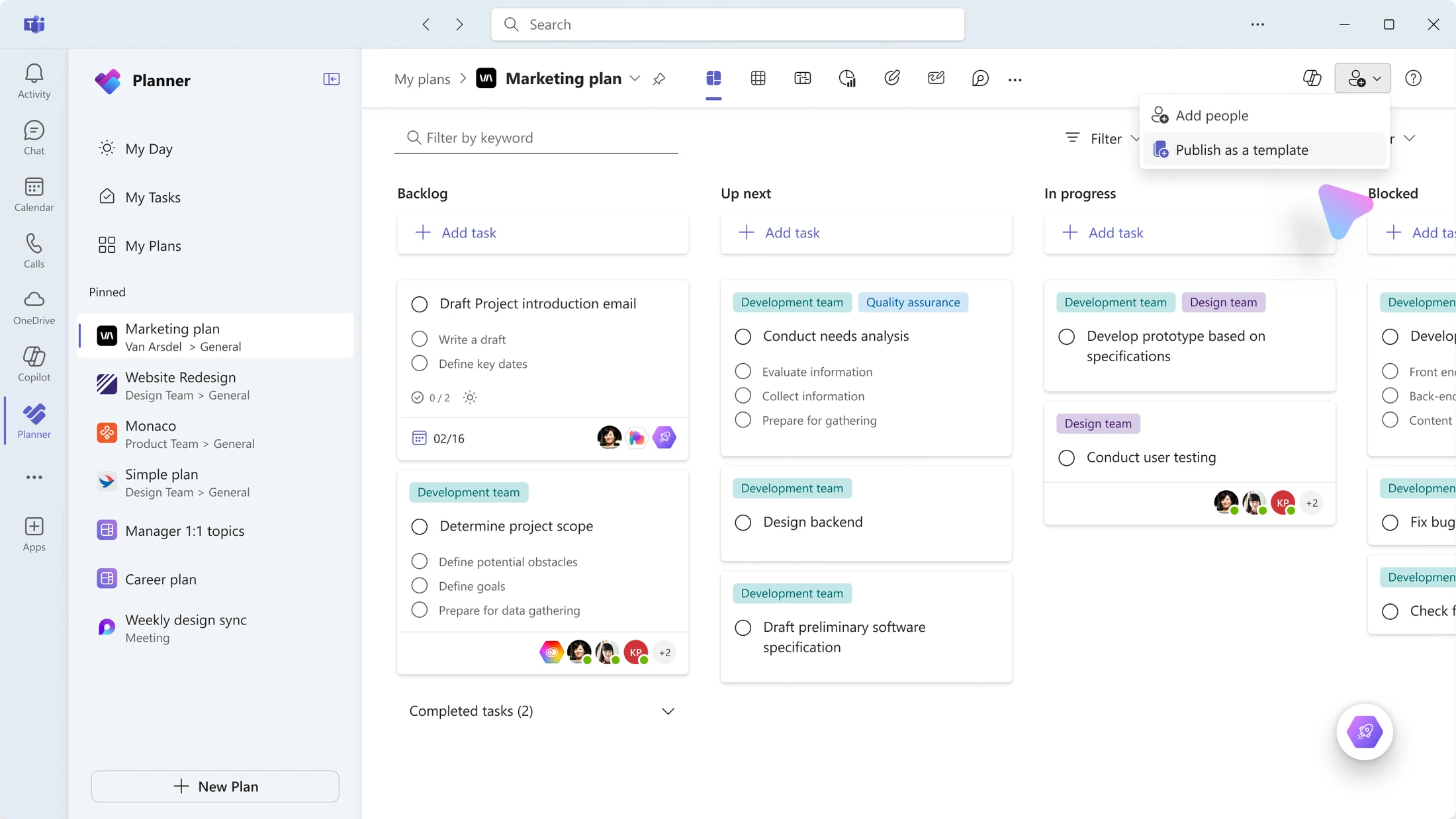
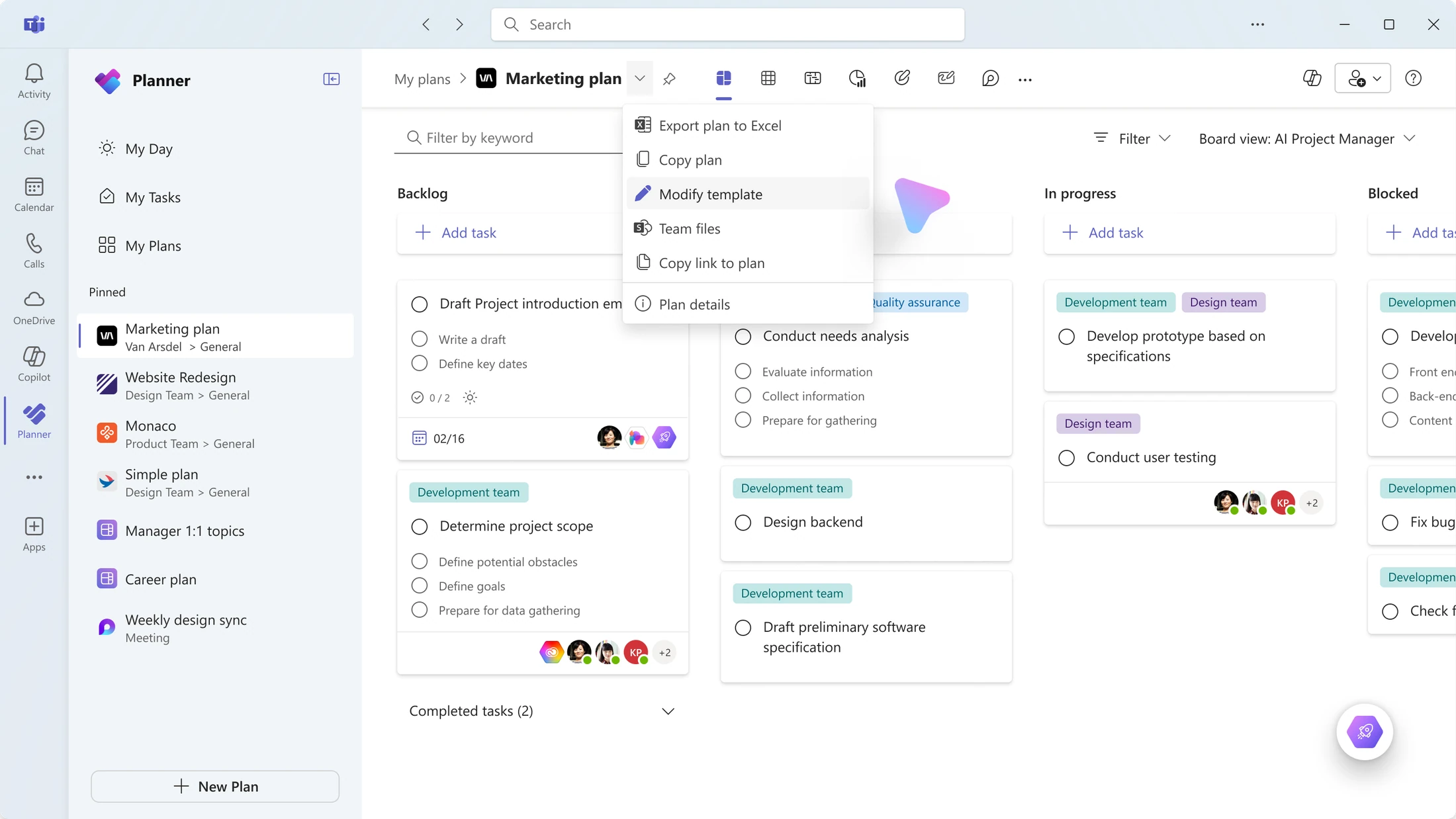
- How do I publish my plan as a template?
- Where exactly should the entry point for this be in a plan?
- Confusion around share and chevron because of the overlapping list items.
Design response
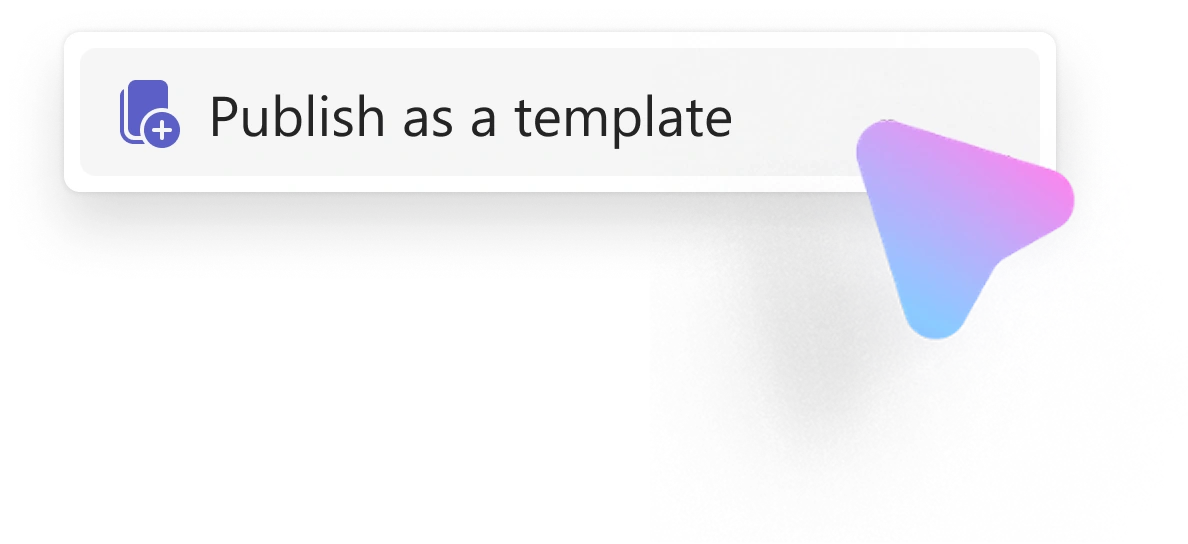
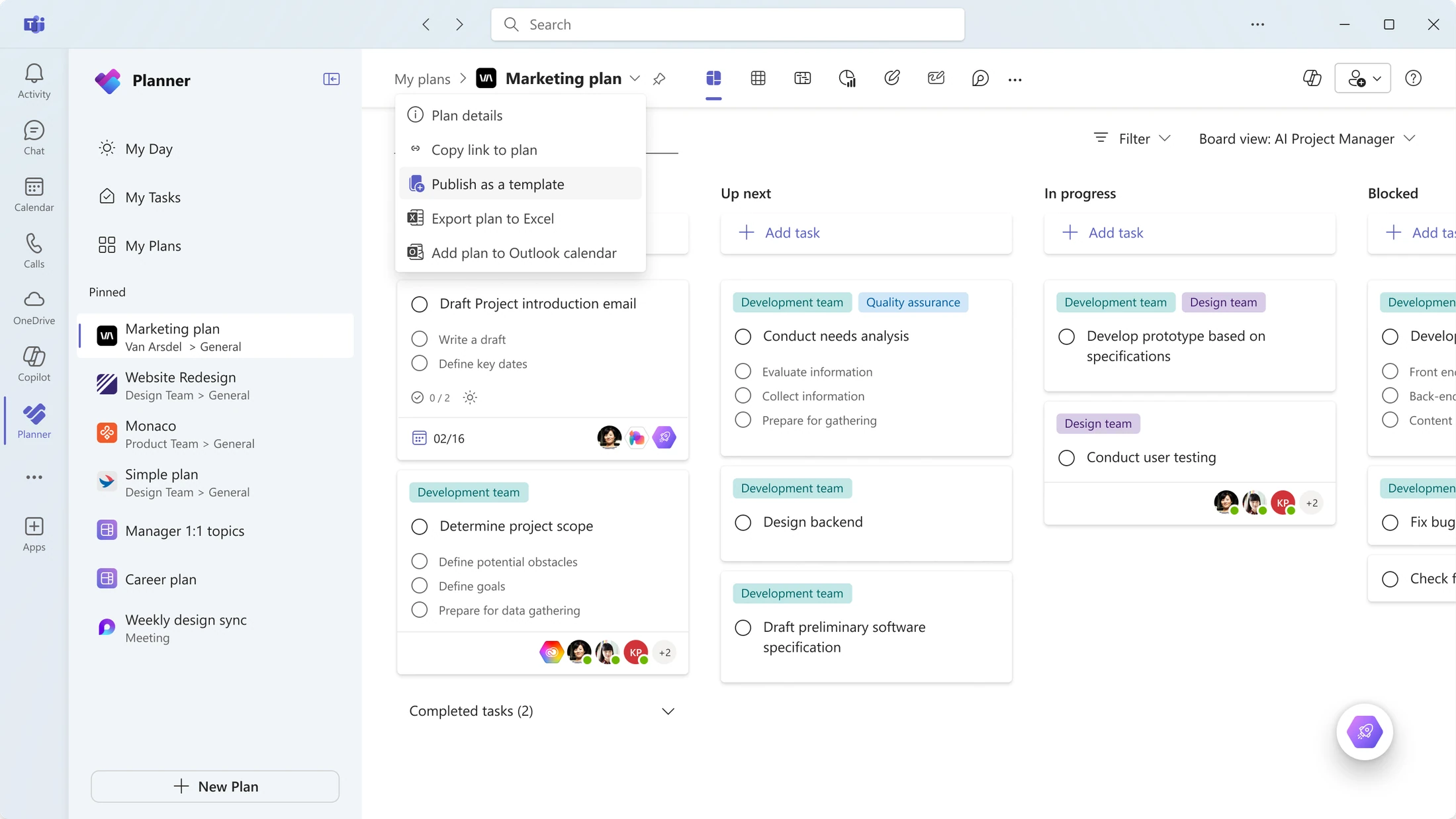
Proposed an entry point in the plan to publish a template, one that sits in the right user flow but is also discoverable at the same time.
06 / Refine and configure the template
Refine and configure the template
Question
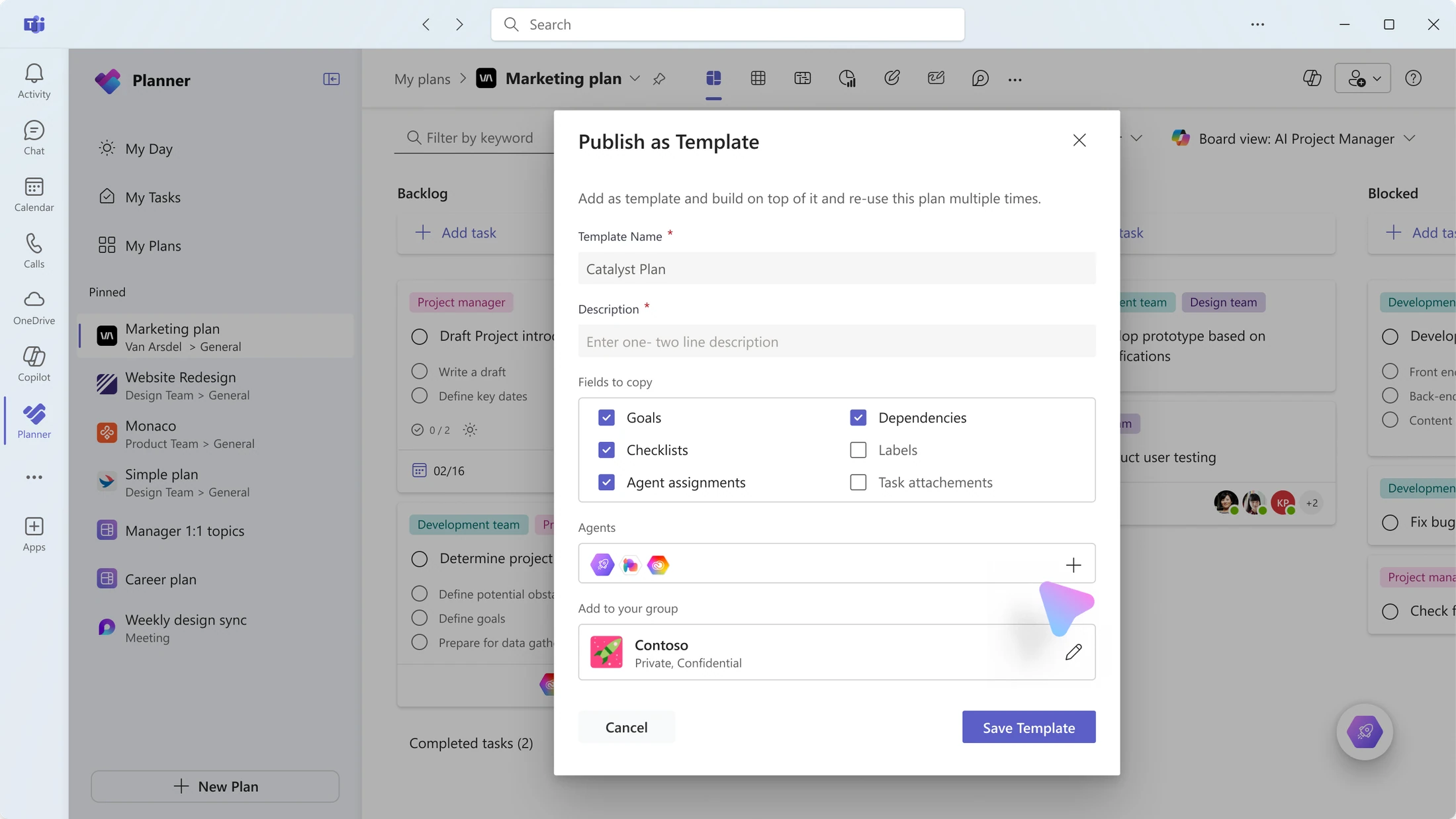
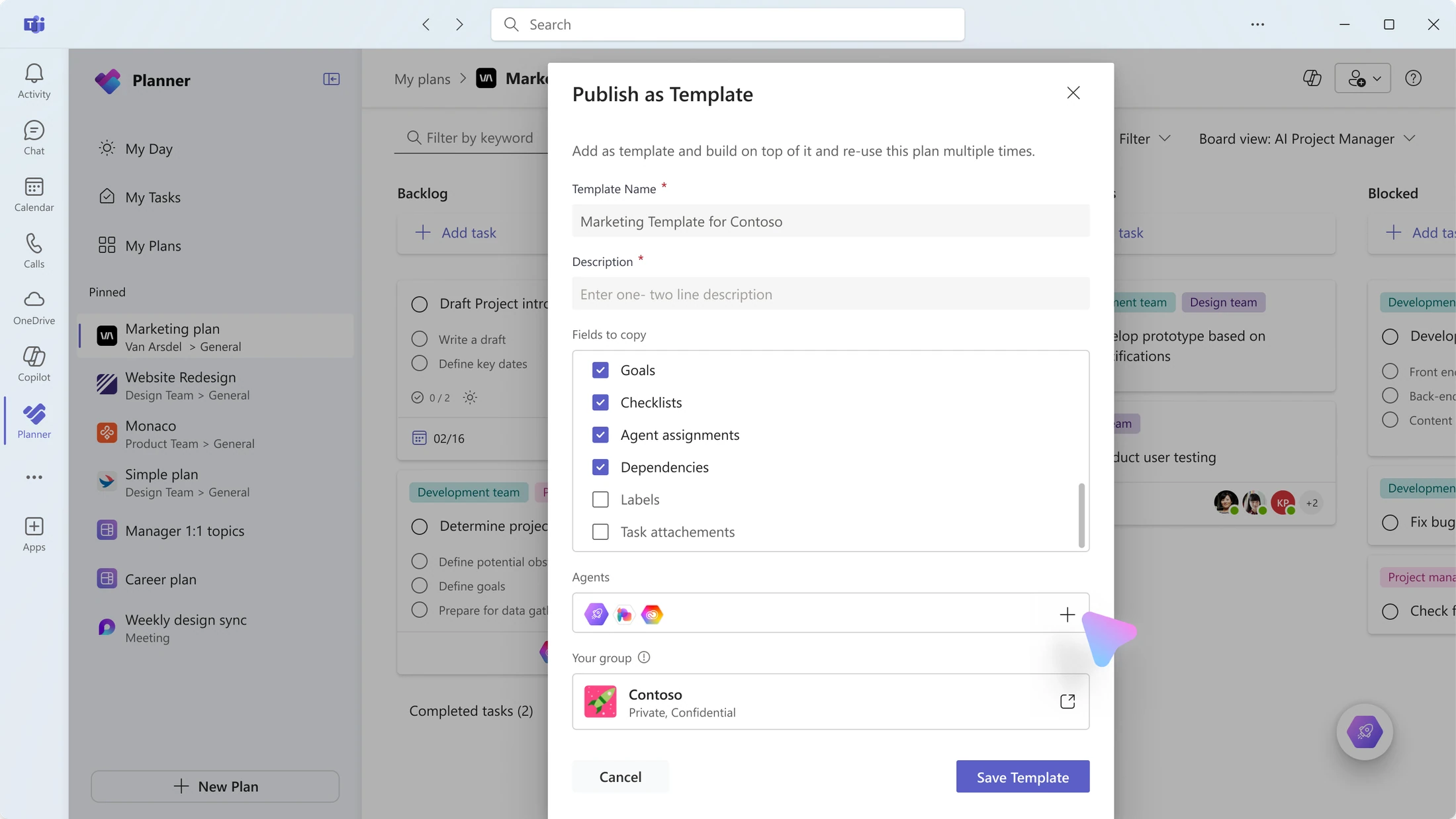
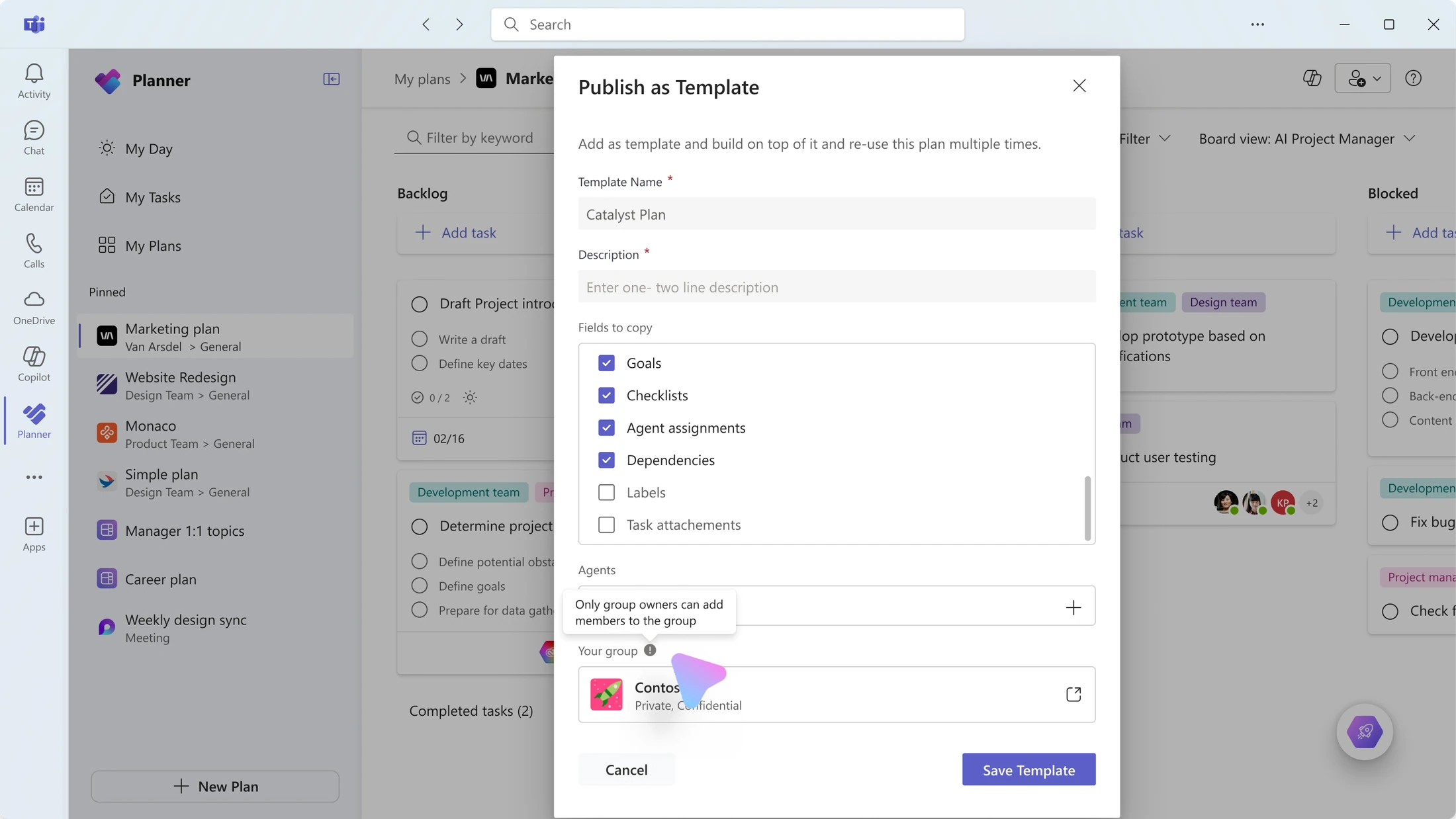
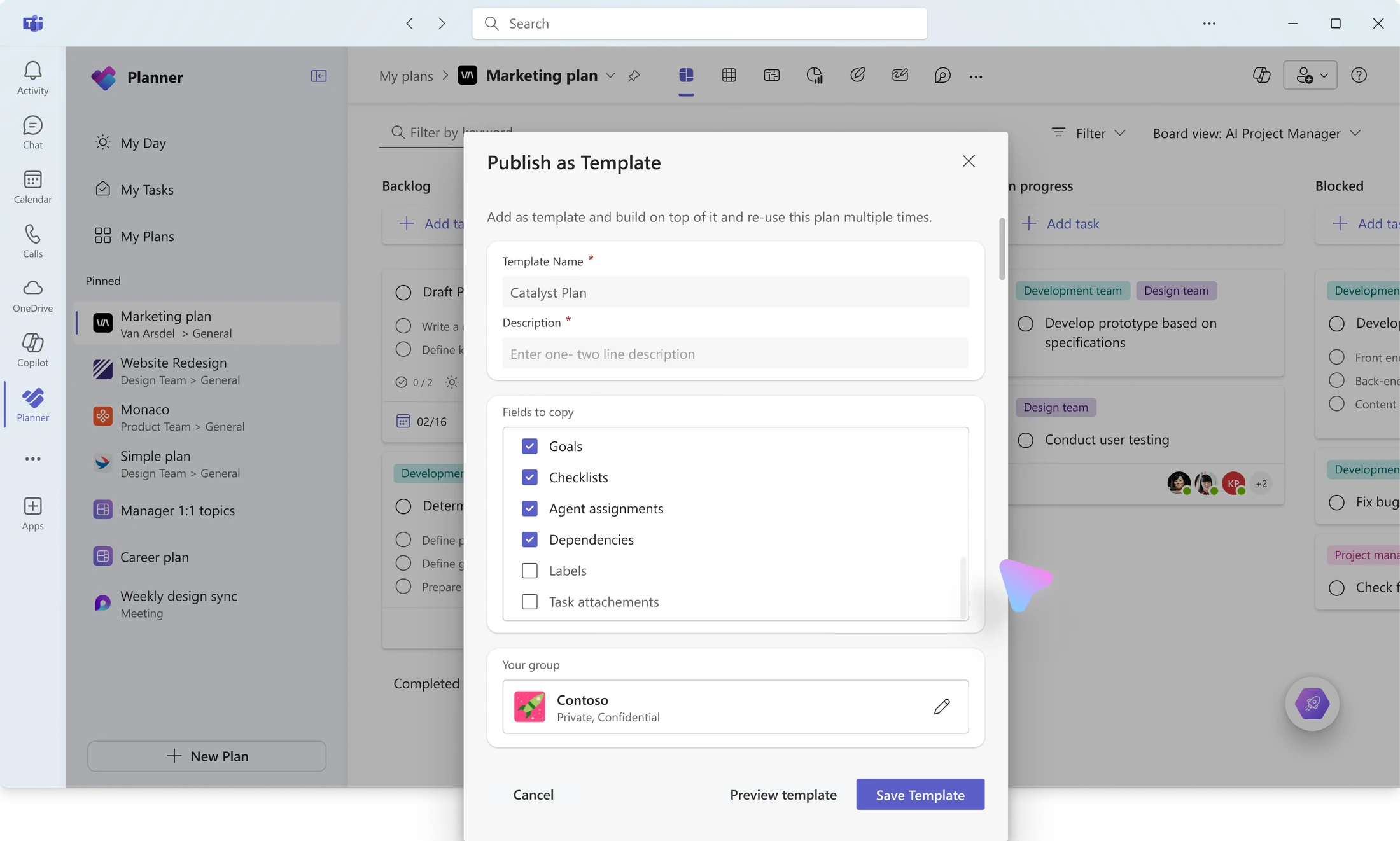
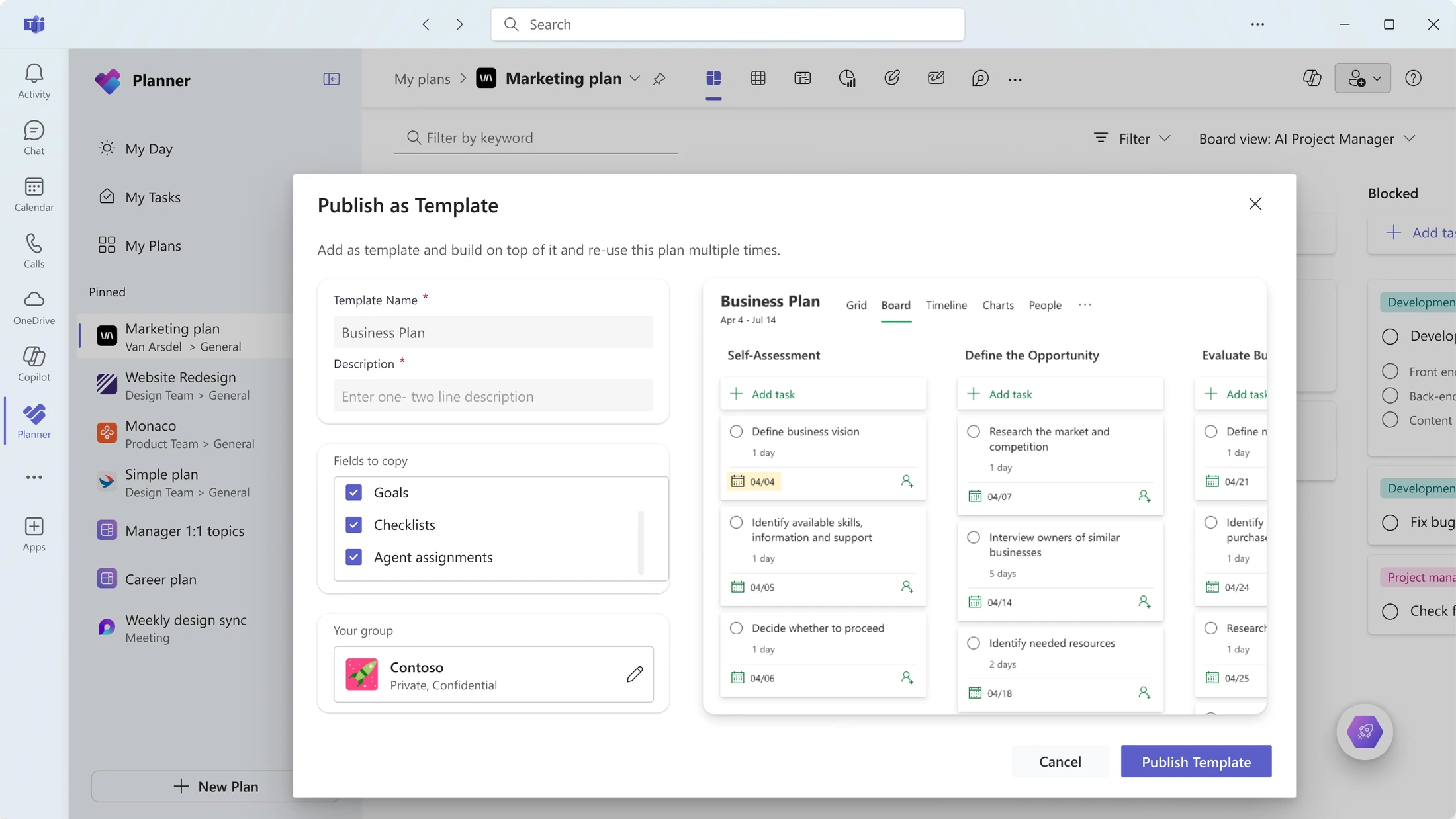
How do I refine and configure the template?
Design response
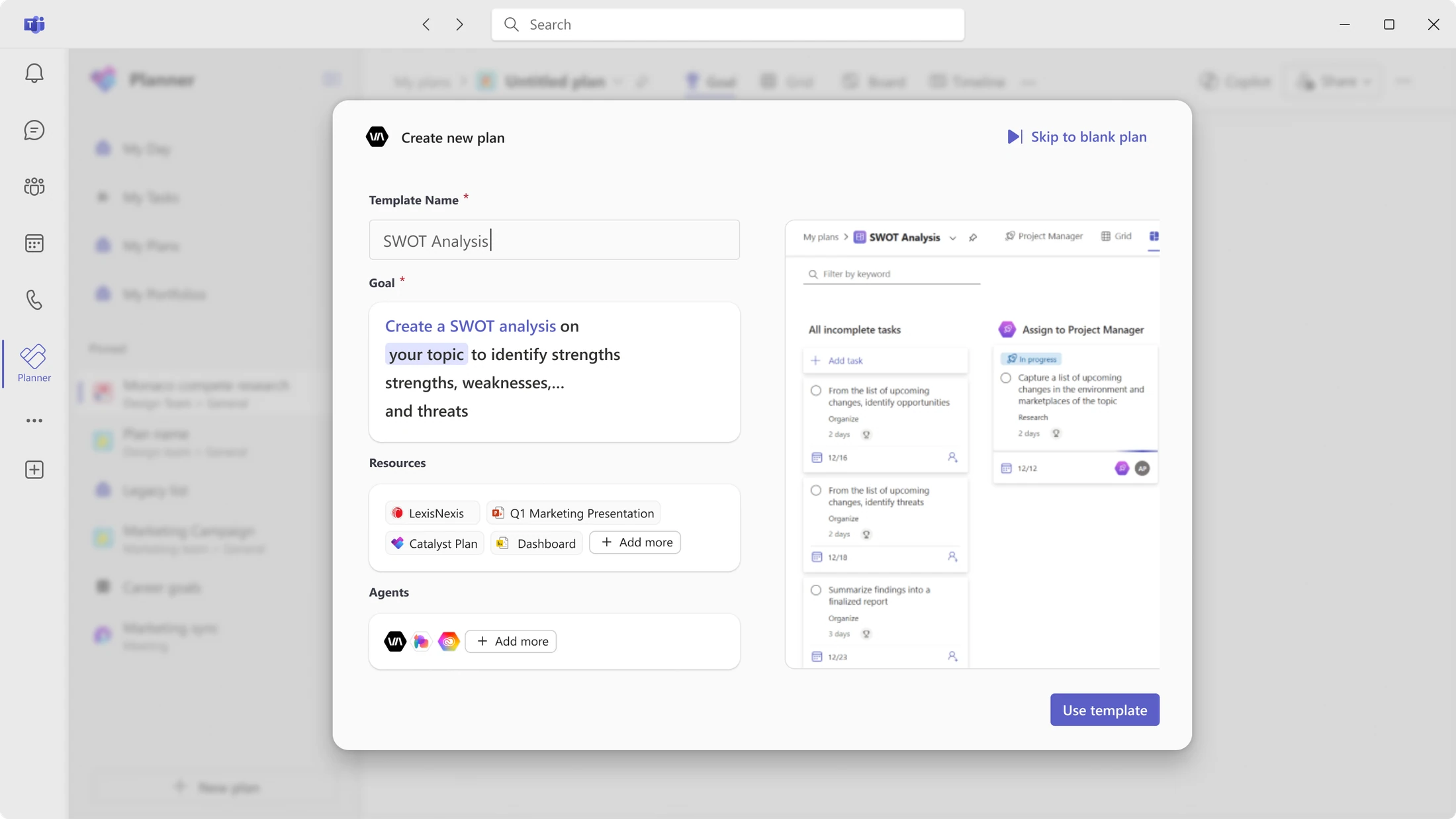
Proposed a solution where templates can be refined with a name, description and group context. Specific fields can be selected and, once configured, the template can be published for reuse.
07 / Publish with team
Publish with team
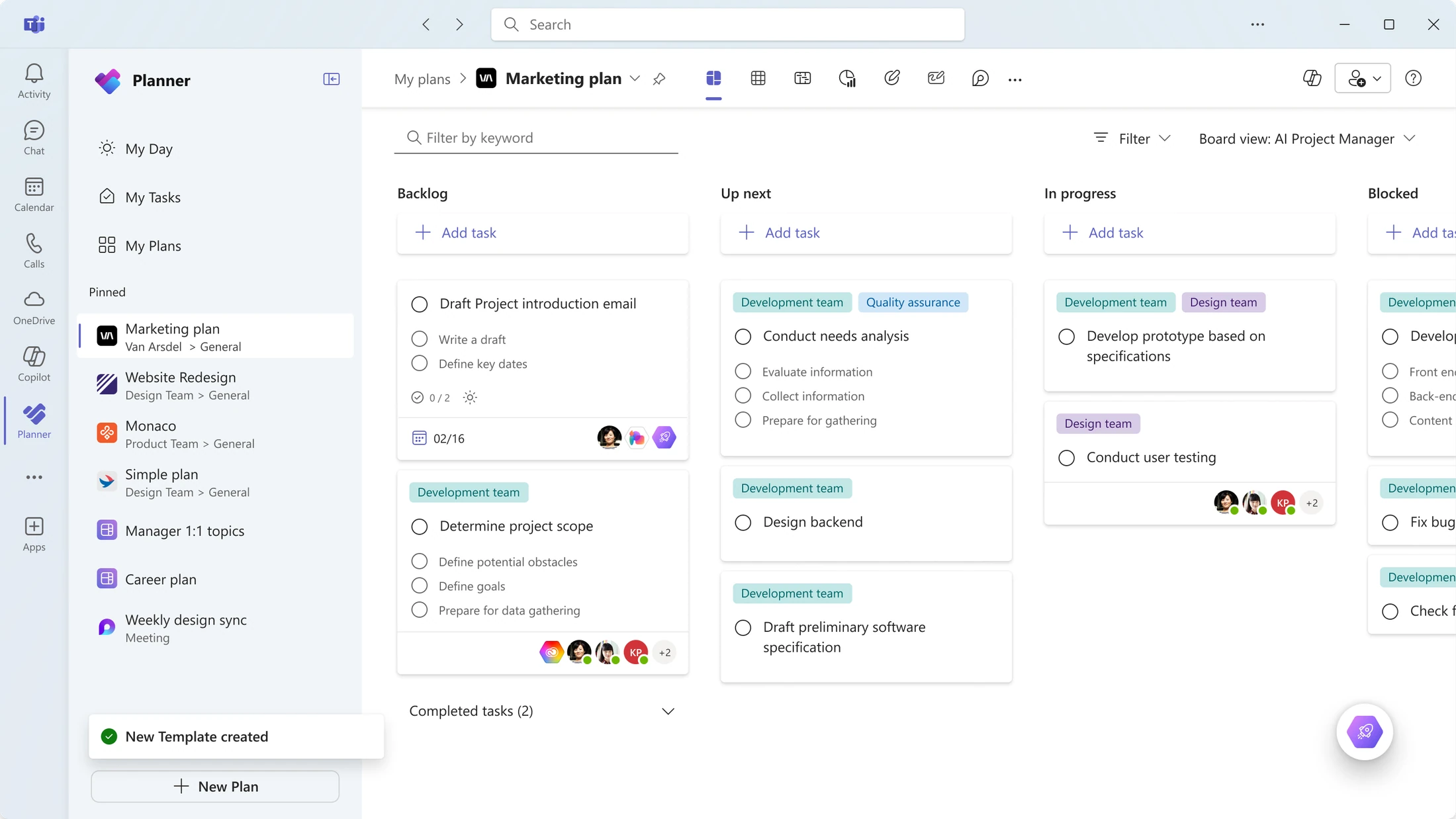
Once the template is published, the user lands back in the plan with a confirmation that the new template was created.
08 / Modify, delete template
Modify, delete template
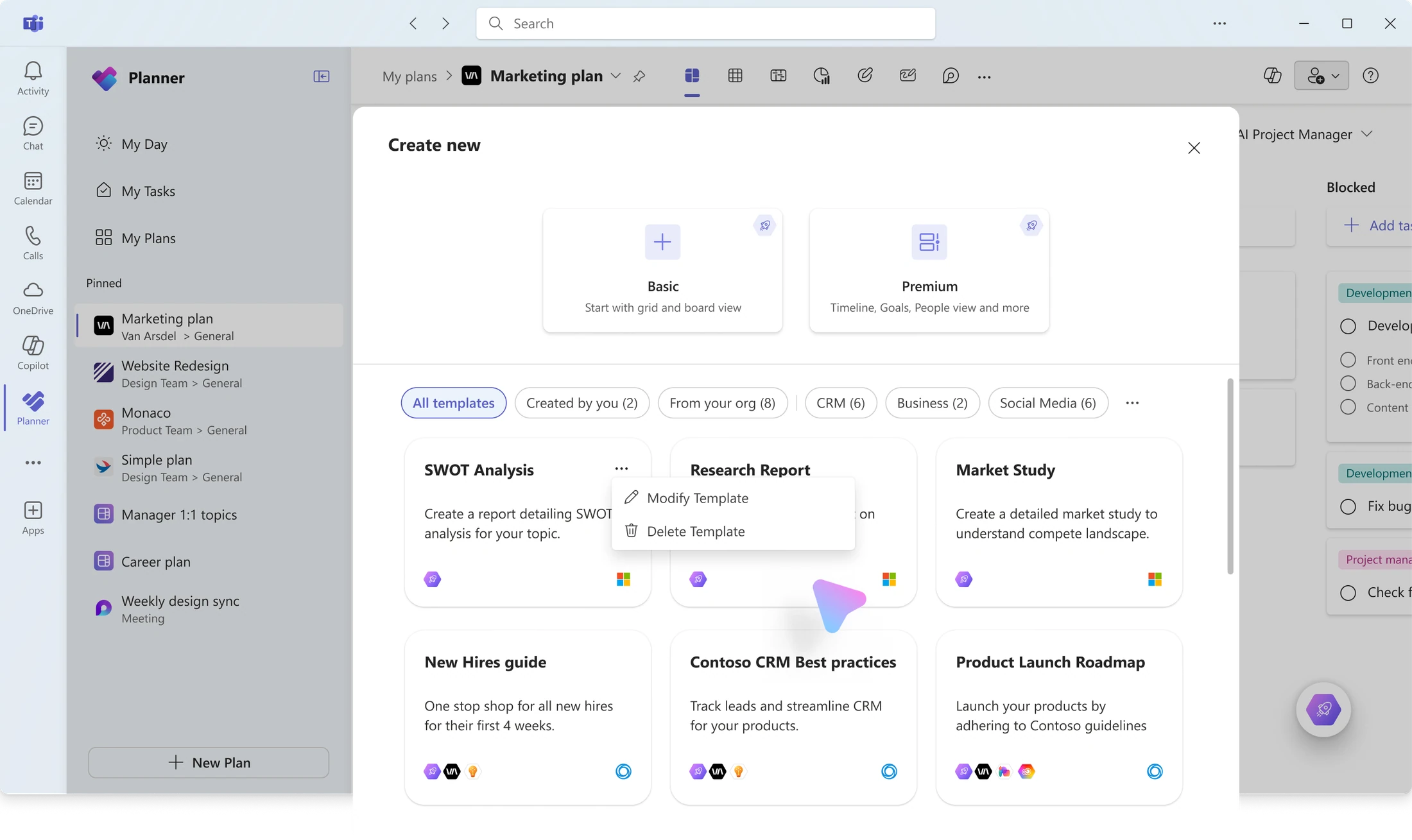
Only template owners can modify or delete a template.
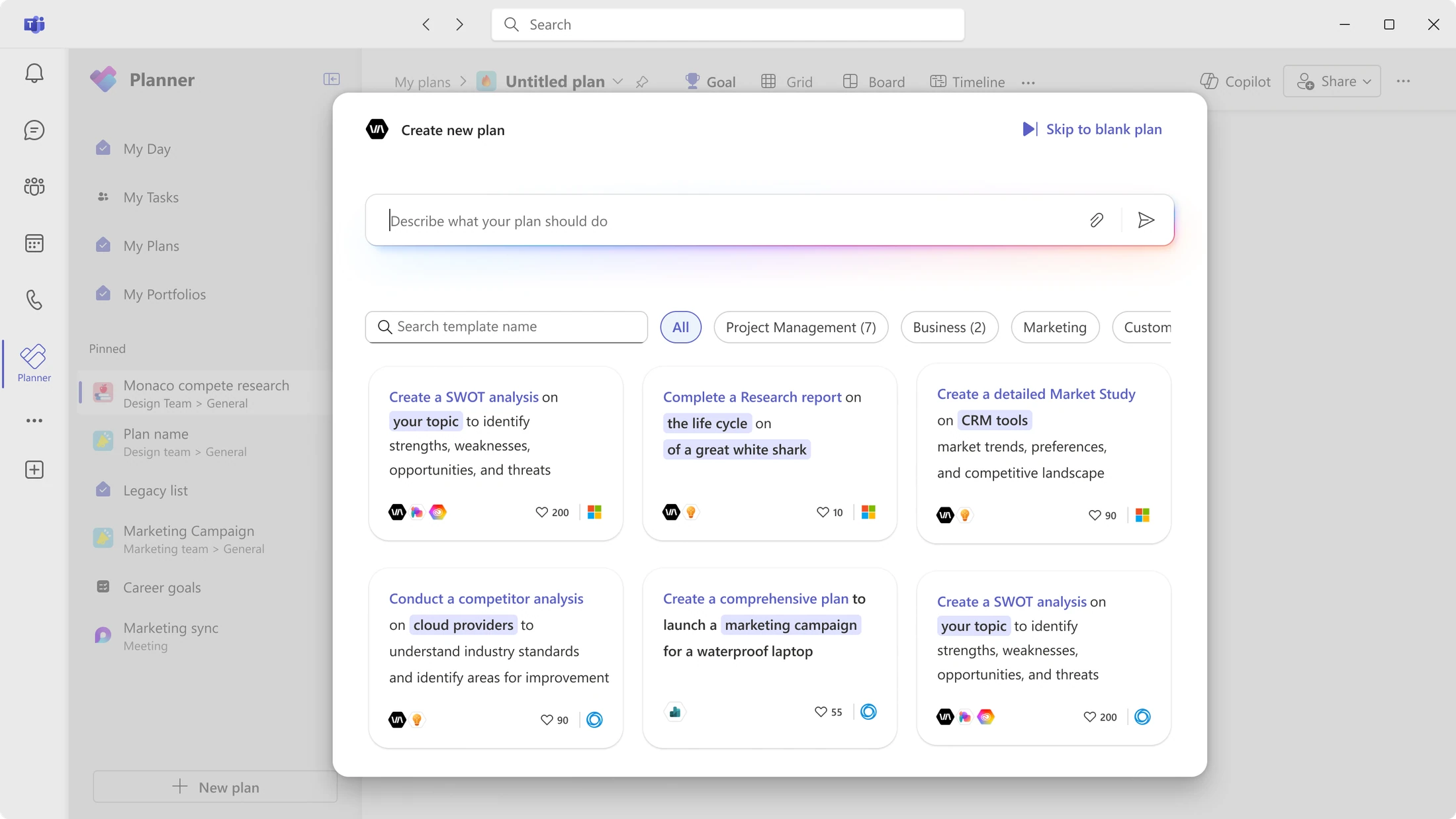
09 / Template library
Template library
Questions
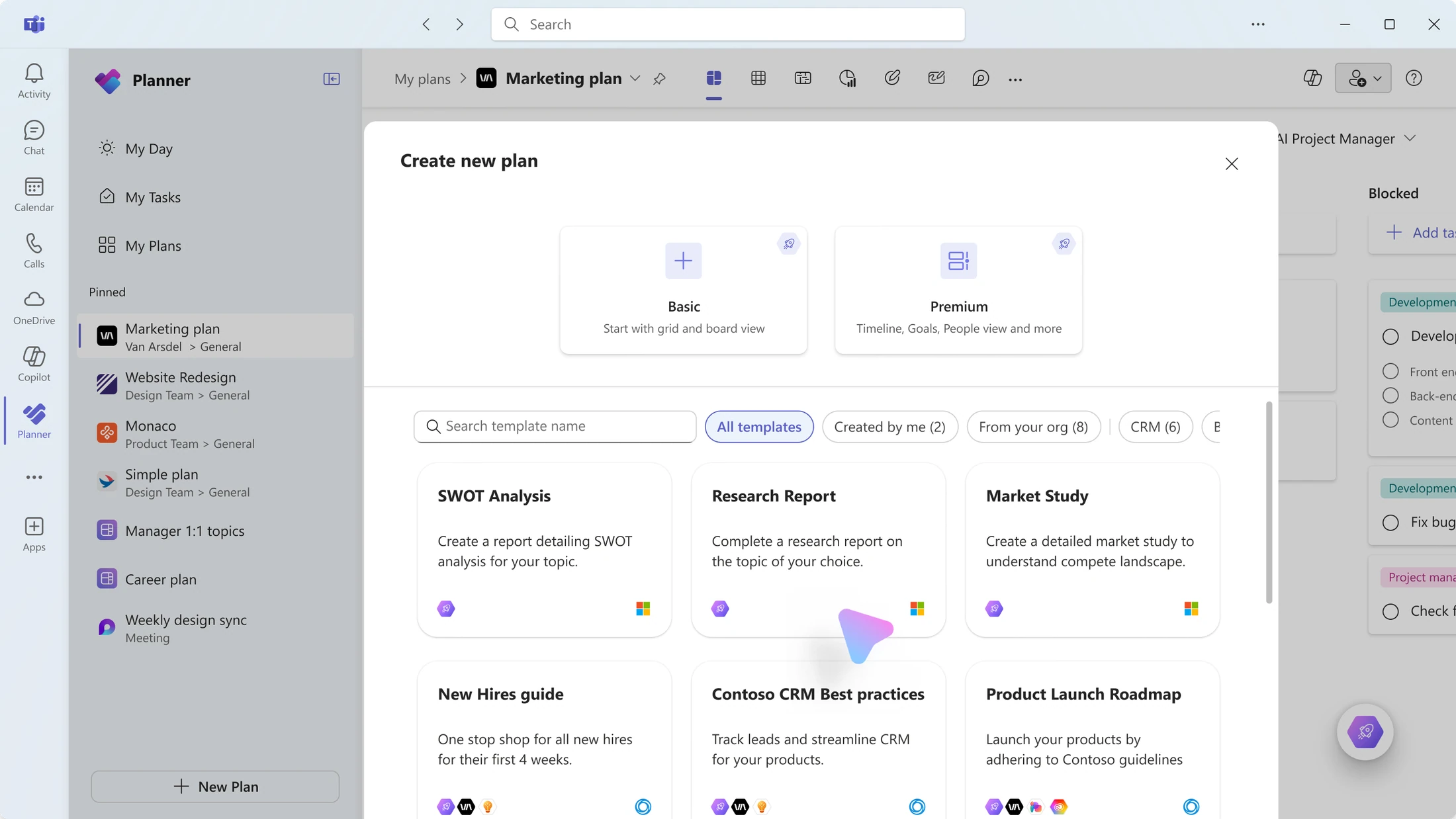
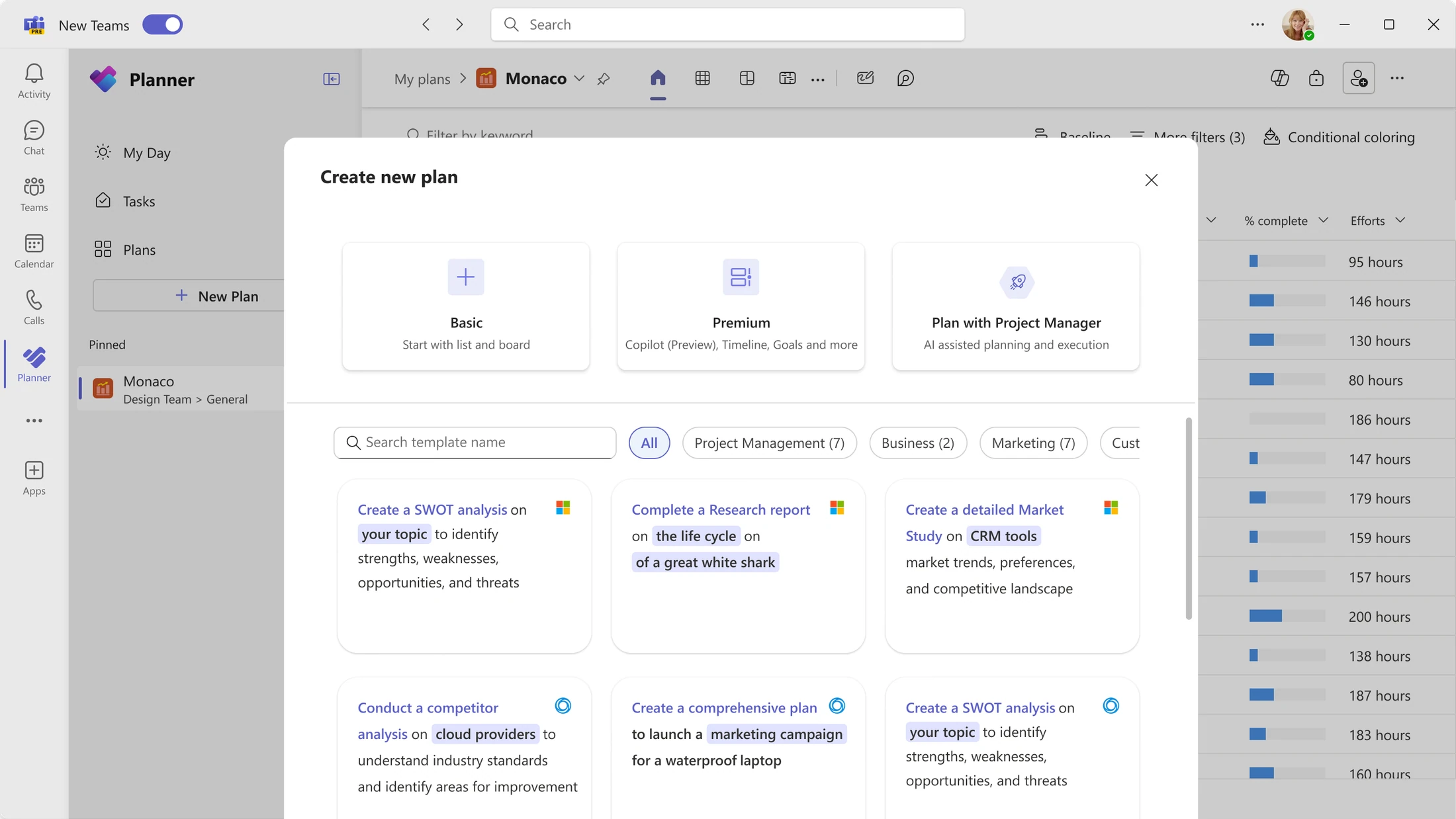
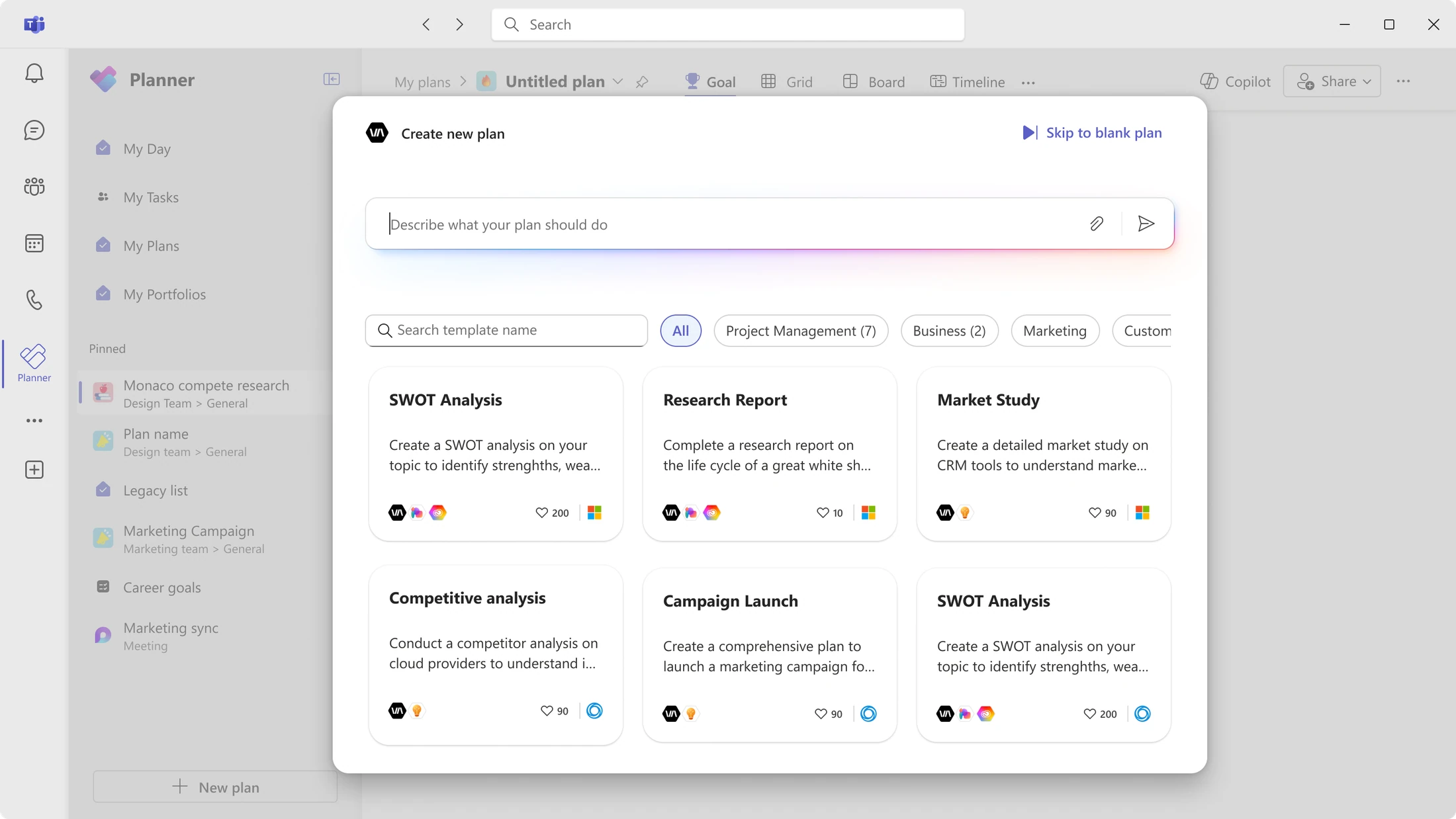
- How do users view their published template?
- How do they search a template?
- What should be the order of the templates?
- How can we differentiate the OOB MS templates and custom templates?
- Should we provide a preview of the template?
- What information is relevant for the user to know when choosing a template?
Design response
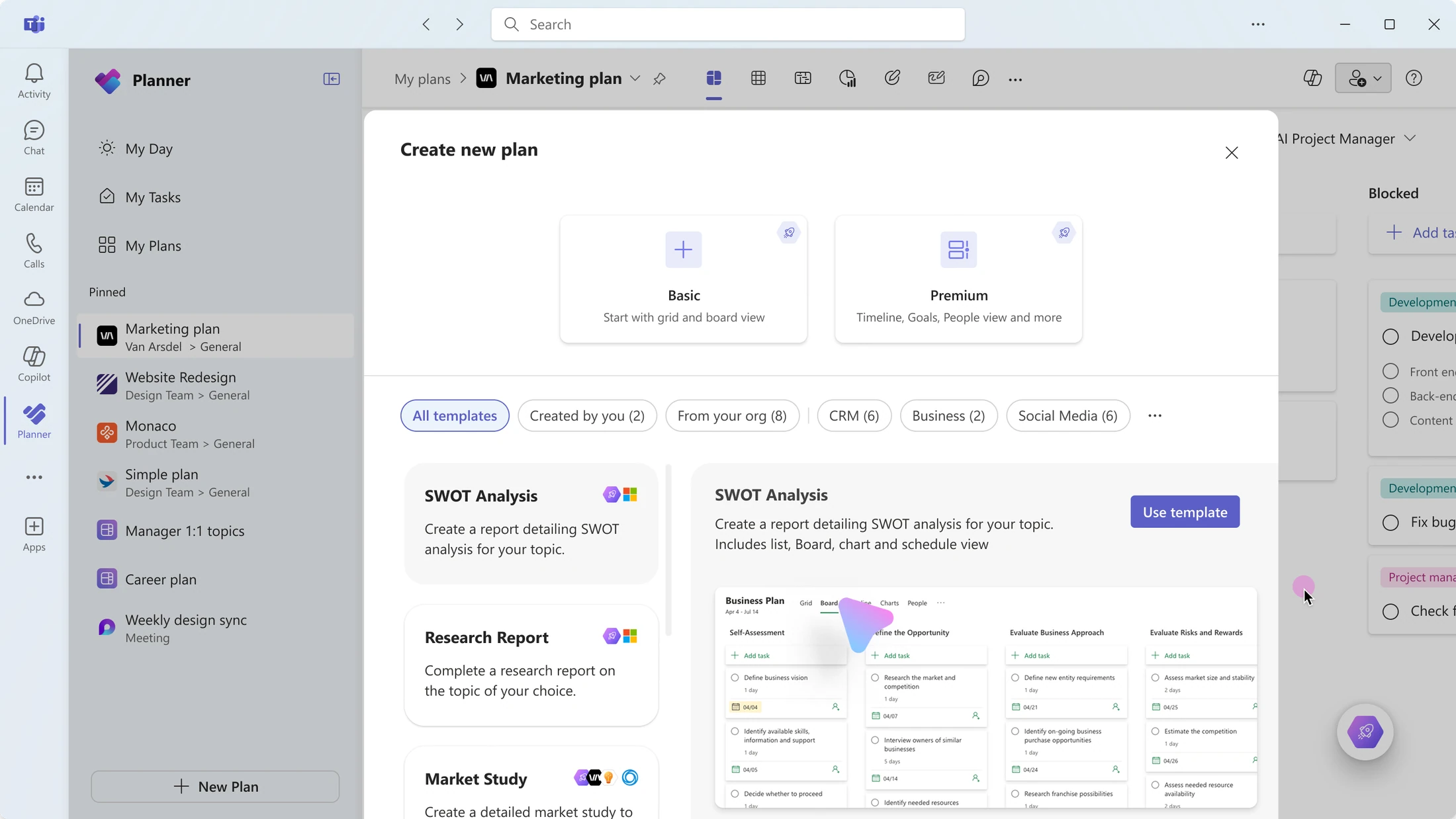
Proposed an experience in the creation journey: a template library where users can view all of their created templates in one place, search the templates, and see what they are choosing by the thumbnail of the template.
10 / Preview
Preview